
Author: Sravya Bandari
Updated: June 2025
Audience: Admins
Environment: Self-Hosted, Replicated - KOTS
Summary
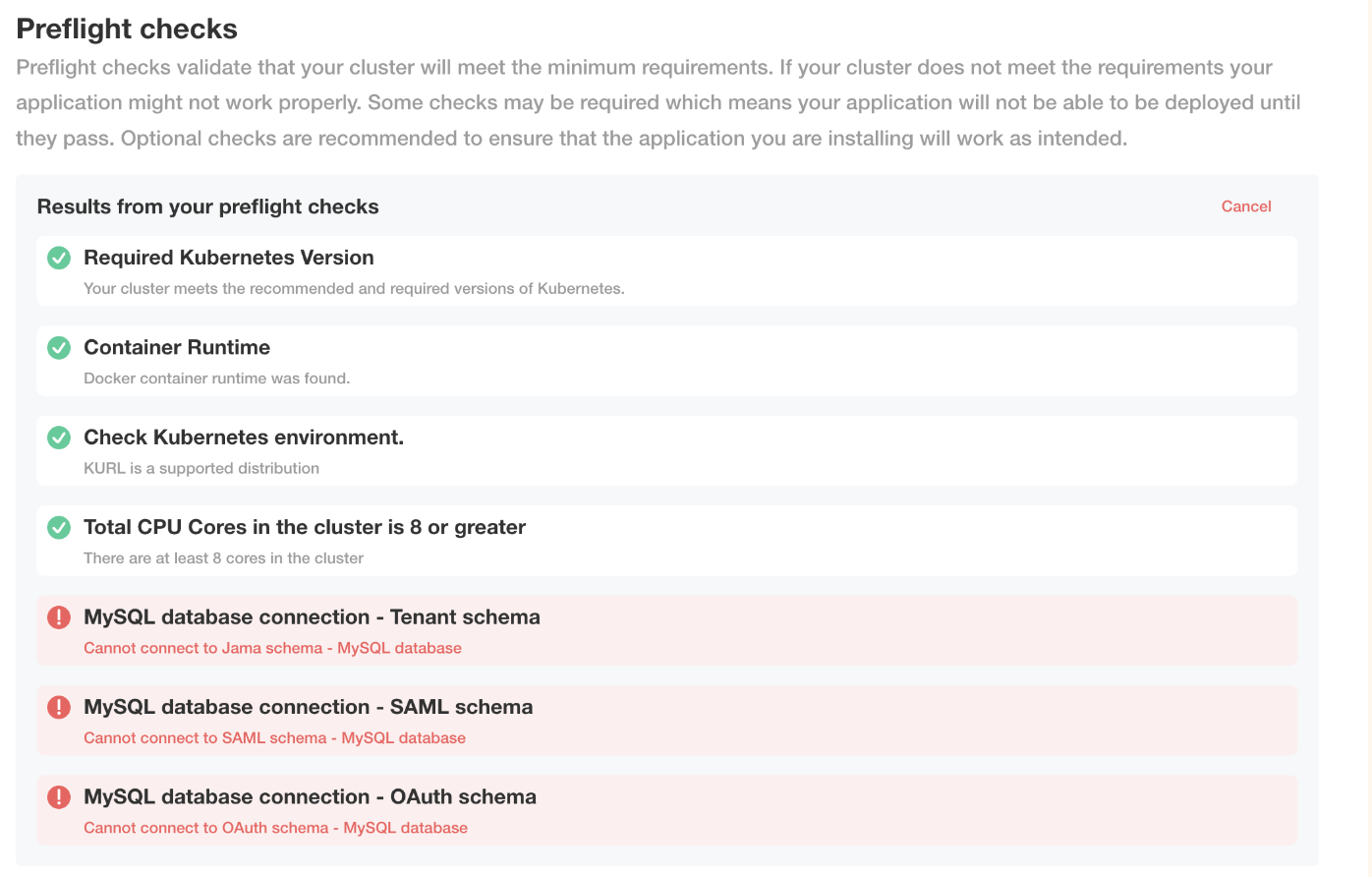
This guide outlines the necessary steps to troubleshoot a pre-flight checklist failure for database connections before deploying on the replicated admin console.
Solution
- Double-check to ensure the correct database details are entered into the admin console.
- Try re-running the pre-flight checks on a previously deployed sequence. If they pass, then there is likely a configuration issue causing the pre-flight checks to fail. In the 'Version History' tab, try using the 'diff' feature to compare a known 'good' sequence to the currently failing sequence and see if any unintentional changes were made between versions.
- Verify the database setup, ensuring connectivity between the cluster and the database server.
- For MySQL
- kubectl run -i --tty --rm mysqlclient --image=mysql:8 --restart=Never -- bin/bash
(This will place you within a new terminal window connected to the MySQL pod. Use the following command to establish a connection to the database server) - mysql --host=<mysql-hostname> --user=<username> --password=<password>
- kubectl run -i --tty --rm mysqlclient --image=mysql:8 --restart=Never -- bin/bash
- For MSSQL
- kubectl run -i --tty --rm mssqlclient --image=mcr.microsoft.com/mssql-tools:latest --restart=Never -- bin/bash
(This will place you within a new terminal window connected to the MSSQL Tools pod. Use the following command to establish a connection to the database server) - sqlcmd -S <mssql-hostname> -U <username> -P <password>
- kubectl run -i --tty --rm mssqlclient --image=mcr.microsoft.com/mssql-tools:latest --restart=Never -- bin/bash
- Also, could you please verify the connectivity of the specified username and credentials using the commands provided below?
- mysql -u <<jamausername>> -p "defined password"
mysql -u <<oauthusername>> -p "defined password"
mysql -u <<samlusername>> -p "defined password"
- mysql -u <<jamausername>> -p "defined password"
- Update the usernames and credentials as needed.
- Double check that the database hostname is resolvable, correctly configured and reachable from the application server.
- Check the contour logs for errors resolving the database hostname
kubectl logs core-0 | grep 'UnknownHostException' - If you are still having trouble with database hostname resolution, try using the database server's public IP and bypass and DNS routing issues.
Cause
Entering incorrect database hosts, database names, usernames, and passwords on the configuration page can lead to this issue.
Feedback: Please leave feedback in the comments below.
Comments
0 comments
Please sign in to leave a comment.